
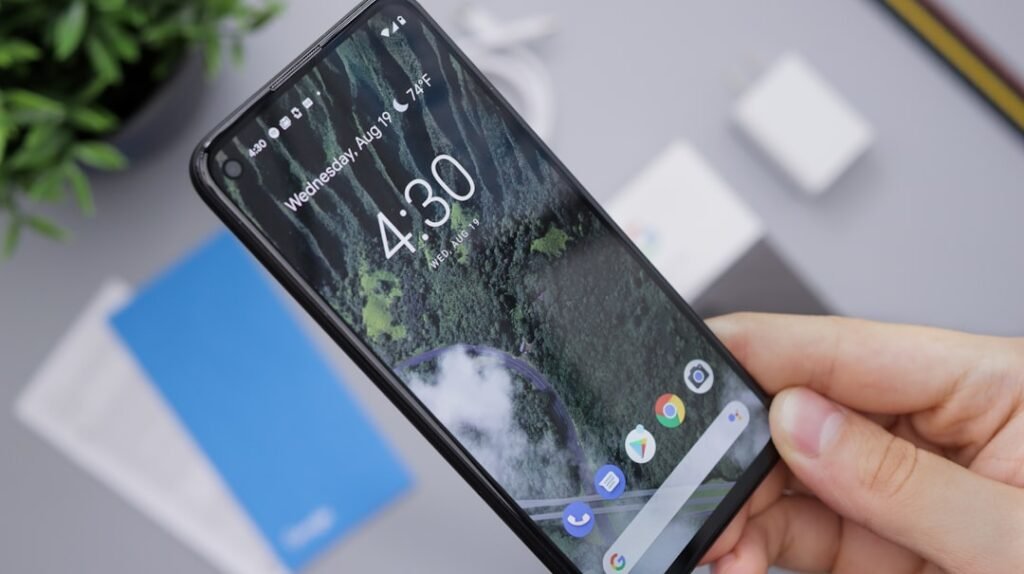
The home screen of a smartphone serves as the primary interface through which users interact with their devices. A well-organized home screen can significantly enhance the user experience, making it easier to access frequently used applications and information. To achieve this, individuals should consider categorizing apps based on their functionality.
For instance, social media applications can be grouped together, while productivity tools might occupy another section. This method not only declutters the screen but also allows for quicker navigation, as users can locate their desired apps with minimal effort. In addition to categorization, the strategic placement of apps can further optimize the home screen layout.
Users often find it beneficial to position their most-used applications within easy reach, typically on the first page or in the dock at the bottom of the screen. This arrangement minimizes the time spent searching for essential tools, thereby enhancing overall efficiency. Furthermore, incorporating widgets can provide at-a-glance information, such as weather updates or calendar events, directly on the home screen.
By thoughtfully organizing their home screens, users can create a personalized and functional digital workspace that caters to their specific needs.
Key Takeaways
- Customize your home screen for quick access to essential apps.
- Use shortcut keys and gestures to navigate your phone efficiently.
- Manage app notifications to reduce distractions and stay focused.
- Optimize battery life by adjusting settings and closing unused apps.
- Keep your smartphone updated and leverage productivity apps for better performance.
Utilizing Shortcut Keys and Gestures
Shortcut keys and gestures are invaluable features that can streamline smartphone usage and improve efficiency. Many smartphones come equipped with a variety of shortcuts that allow users to perform tasks quickly without navigating through multiple menus. For example, a simple double-tap on the home button may bring up recent applications, while a swipe down from the top of the screen can reveal notifications and quick settings.
Familiarizing oneself with these shortcuts can save time and make everyday tasks more manageable. Gestures, on the other hand, offer a more intuitive way to interact with devices. Users can often perform actions such as scrolling, zooming, or switching between apps with simple finger movements.
For instance, swiping left or right can allow users to navigate between different screens or applications seamlessly. Additionally, many smartphones support customizable gestures, enabling users to assign specific actions to particular movements. By mastering these shortcuts and gestures, individuals can enhance their smartphone experience, making it more fluid and responsive to their needs.
Managing App Notifications

In an age where smartphones are constantly buzzing with notifications, managing these alerts has become essential for maintaining focus and productivity. Users often find themselves overwhelmed by a barrage of notifications from various applications, which can lead to distractions and decreased efficiency. To combat this issue, individuals should take the time to customize their notification settings for each app.
By prioritizing important alerts and silencing less critical ones, users can create a more manageable notification environment. Moreover, utilizing features such as “Do Not Disturb” mode can provide users with uninterrupted time to focus on tasks without the constant interruption of notifications.
By effectively managing app notifications, users can cultivate a more productive atmosphere that minimizes distractions and enhances their ability to concentrate on important tasks.
Streamlining App Usage
Streamlining app usage is crucial for maximizing efficiency and ensuring that smartphones serve their intended purpose without unnecessary complications. One effective strategy is to regularly review installed applications and remove those that are no longer needed or used infrequently. This not only frees up storage space but also reduces clutter on the device, making it easier to locate essential apps when needed.
Additionally, users can benefit from utilizing app folders to group similar applications together. For example, creating a folder for travel-related apps or one for fitness tracking can simplify navigation and make it easier to find specific tools quickly. Furthermore, many smartphones offer features that allow users to create shortcuts for frequently used functions within apps, such as composing a new message or starting a workout session.
By streamlining app usage in these ways, individuals can enhance their overall smartphone experience and ensure that their devices remain efficient and user-friendly.
Optimizing Battery Life
| Metric | Value | Unit |
|---|---|---|
| Average Screen Size | 6.5 | inches |
| Battery Capacity | 4000 | mAh |
| RAM | 8 | GB |
| Storage | 128 | GB |
| Camera Resolution | 48 | MP |
| Weight | 180 | grams |
| Charging Time | 90 | minutes |
| Operating System | Android / iOS | – |
Battery life is a critical aspect of smartphone usability that often dictates how effectively individuals can use their devices throughout the day. To optimize battery performance, users should first familiarize themselves with their device’s battery settings, which often provide insights into which applications consume the most power. By identifying these power-hungry apps, individuals can make informed decisions about how to manage their usage.
In addition to monitoring app usage, implementing simple habits can significantly extend battery life. For instance, reducing screen brightness or enabling adaptive brightness settings can help conserve energy. Furthermore, turning off location services for apps that do not require constant tracking can also contribute to longer battery life.
Users may also consider utilizing battery saver modes during times when they anticipate heavy usage or when they are away from charging options for extended periods. By adopting these practices, individuals can ensure that their smartphones remain functional throughout the day without the constant need for recharging.
Utilizing Voice Commands

Voice commands have revolutionized the way users interact with their smartphones, offering a hands-free alternative that enhances convenience and accessibility. Most modern smartphones come equipped with virtual assistants capable of understanding and executing voice commands for various tasks. Users can send messages, set reminders, or even control smart home devices simply by speaking aloud.
This feature is particularly beneficial for individuals who may find it challenging to navigate their devices manually due to physical limitations or multitasking scenarios. Moreover, voice commands can significantly improve productivity by allowing users to perform tasks while engaged in other activities. For instance, someone cooking in the kitchen can ask their smartphone for recipe instructions without needing to touch the device.
Additionally, voice commands can facilitate quick searches for information or navigation assistance while driving, promoting safety by minimizing distractions. By embracing voice command technology, users can enhance their smartphone experience and streamline daily tasks with ease.
Keeping Your Smartphone Updated
Regularly updating a smartphone is essential for maintaining optimal performance and security. Software updates often include important bug fixes, performance enhancements, and new features that improve the overall user experience. By keeping their devices updated, users can ensure they are benefiting from the latest advancements in technology while also protecting themselves from potential security vulnerabilities.
In addition to system updates, users should also pay attention to app updates available through their respective app stores. Developers frequently release updates that address issues or introduce new functionalities that enhance app performance. Enabling automatic updates can simplify this process by ensuring that both the operating system and applications are always up-to-date without requiring manual intervention.
By prioritizing updates, individuals can enjoy a smoother and more secure smartphone experience.
Using Productivity Apps
Productivity apps have become indispensable tools for individuals seeking to manage their time effectively and enhance their organizational skills. These applications range from task managers and note-taking tools to calendar apps that help users keep track of appointments and deadlines. By integrating productivity apps into their daily routines, individuals can streamline their workflows and ensure they stay on top of their responsibilities.
For instance, task management apps allow users to create to-do lists and set reminders for important tasks, helping them prioritize their workload effectively.
Additionally, calendar apps provide visual representations of schedules and deadlines, making it easier for individuals to plan their days efficiently.
By leveraging these productivity tools, users can transform their smartphones into powerful allies in achieving personal and professional goals. In conclusion, optimizing smartphone usage involves a multifaceted approach that encompasses organizing home screens, managing notifications, utilizing shortcuts and gestures, streamlining app usage, optimizing battery life, embracing voice commands, keeping devices updated, and leveraging productivity apps. By implementing these strategies, individuals can enhance their overall smartphone experience and ensure that their devices serve as effective tools in navigating daily life challenges.
Smartphones have become an integral part of our daily lives, revolutionizing the way we communicate, work, and access information. For a deeper understanding of how technology is transforming various sectors, you can read about it in the article on Revolutionizing Industries with Cutting-Edge Technology. This article explores the impact of advanced technologies, including smartphones, on different industries and highlights the innovations that are shaping our future.